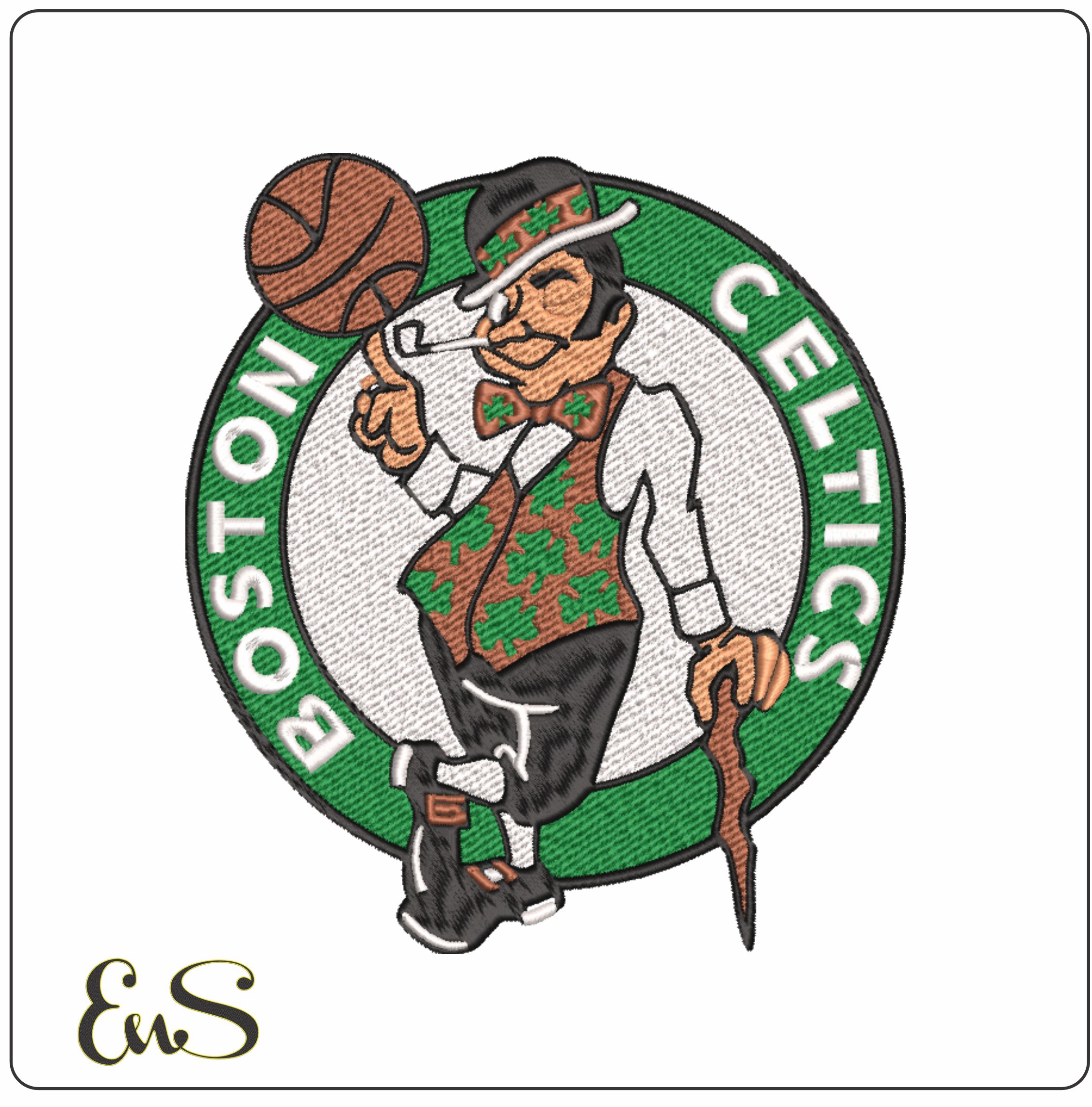
The Celtics' leprechaun crest is one of the most detailed logos in the NBA, and one of the easiest to ruin with a poor file. The fine cane and pipe, the spinning basketball and the layered clothing all lose definition fast if the digitizing isn't right, and a dense crest can bird-nest right in the middle of the face. Fans want game-day gear that looks as sharp as the merchandise in the arena, especially after Banner 18.
This guide covers what makes the crest hard to stitch, how to choose and size the right file, the thread colors that match Celtics green and the stabilizer, needle and speed settings that keep a dense design flat and clean.
Key Takeaways
- Use the right file format for your machine so the crest stays crisp and aligned.
- Match Celtics green with a close thread such as Madeira Polyneon #1651.
- Back dense designs with heavyweight cut-away stabilizer to stop puckering on hoodies and performance knits.
- A professionally digitized file saves you the cost and time of custom digitizing.
Why the Celtics Crest Is Hard to Stitch
The crest stacks several color layers, and the leprechaun's fine outlines need precise pull compensation so they don't drift during the stitch-out. Low-quality files tend to flatten the spinning ball and the texture of the clothing, leaving the logo looking dull and amateur. The balance between satin stitches for the outlines and fill stitches for the interior areas is what makes or breaks the result.
It's dense. A full-color 7-inch crest can run past 61,000 stitches. That much thread needs a solid foundation, and without well-sequenced underlay, the heavy fills will ripple the fabric. Careful stitch direction is what keeps the mascot's pose looking right.
Details to look for in a good file
- Cane and pipe: these need dense satin stitching to stand out against the green, and they're usually the first details to blur in a weak file.
- Color accuracy: the design should be planned around Celtics green (Pantone 356 C).
- Layering: gold and brown tones should build on a solid base so the background fabric never shows through the green and gold.
For background on how these details became part of the team's identity, see the Boston Celtics history.
Choosing the Right File
Skip auto-conversion. Converting an image file automatically almost always gives poor results, because the software can't handle the push and pull compensation a design this complex needs. A professionally digitized file has stitch paths planned for the machine, which prevents nesting and misaligned outlines.
Browse our NBA embroidery designs, including Boston Celtics logo designs, or our wider sports embroidery designs collection.
Formats and sizing
- Formats: PES (Brother, Baby Lock) and DST (commercial multi-needle machines) handle high stitch counts reliably.
- Sizing: pick a version already sized for your hoop. Resizing a detailed crest by more than about 10% can cause density problems that destroy the fine details.
- Caps: use a design about 3 to 4 inches wide for cap fronts and left-chest placements.
Machine setup
Follow established machine embroidery tension and needle guidelines to prevent breaks on dense designs. A 75/11 ballpoint needle usually suits the jersey knits used for most sports gear.
Settings for a Clean Stitch-Out
| Setting | Recommendation |
|---|---|
| Stabilizer | Heavyweight cut-away, 2.5 to 3.0 oz |
| Needle | 75/11, ballpoint for knits, sharp for structured cap fronts |
| Machine speed | 400 to 500 stitches per minute |
| Thread | High-sheen polyester for a retail look |
| Color changes | Usually 5 to 9 for the full crest |
Why slow down? At high speed, the detailed outlines and the many color changes are more likely to cause breaks or nesting. Running at 400 to 500 SPM places the fine details accurately.
Extra tips:
- Lay a light water-soluble topper on fleece or textured fabrics so fine lines don't sink into the pile.
- Check that bobbin tension is balanced for dense satin borders.
- Always test-stitch on scrap to check density and colors before the real garment.
Need something quicker? The secondary shamrock mark usually needs only two colors, so it stitches much faster than the full crest.
A Note on Licensing
Team logos are trademarks. Fan projects for personal use are one thing, but if you plan to sell finished items, check the licensing requirements first.
Start Your Game-Day Project
A crisp Celtics crest comes down to a well-digitized file, heavy cut-away stabilizer, a slower speed and good polyester thread. Choose a professionally prepared design over an automatic conversion and you'll avoid most thread breaks and misaligned outlines. Browse College Embroidery Designs and get your Celtics gear on the machine.
Frequently Asked Questions
What's the best file format for a Celtics logo design?
It depends on your machine. Brother and Baby Lock machines usually need PES, while commercial multi-needle machines typically use DST. The wrong format can make your machine reject the file, so check what your machine reads before downloading.
Can I embroider the Celtics logo on a cap?
Yes. Use a version about 3 to 4 inches wide and a sharp 75/11 needle to get through the structured front panel. That keeps the mascot details aligned.
How many colors does a Celtics logo design use?
The full leprechaun crest usually uses 5 to 9 colors, including Celtics green, gold, white, black, brown and a skin tone for the face. The shamrock mark is much quicker, with usually just two.
Why is my Celtics design puckering the fabric?
The stabilizer isn't supporting the density. Crests like this often run well over 20,000 stitches, so use a heavyweight cut-away instead of tear-away. That gives the structure needed to stop rippling and keeps the finished garment looking retail-quality.